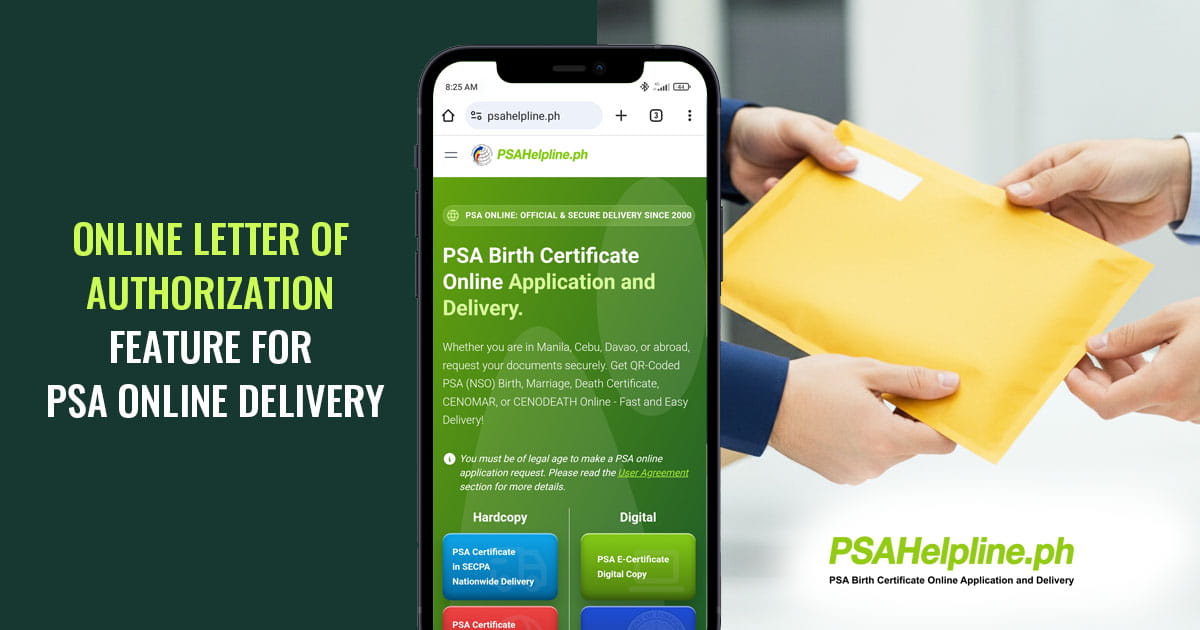
Managing your schedule and securing essential PSA certificates just got easier. PSAHelpline.ph, a trusted name in PSA certificate delivery, leads this transformation, offering a seamless and secure process for your PSA online orders. Recognizing that being physically present for a PSA delivery is not always possible, PSAHelpline.ph has introduced the Online Letter of Authorization feature. This innovative solution ensures that whether you are managing a hectic work schedule, frequently traveling for business or leisure, or residing overseas, your PSA certificate online request can still be fulfilled with ease. By allowing you to designate a trusted individual—be it a family member, colleague, or a representative at your office—this feature provides unparalleled flexibility, enhancing the security and convenience of obtaining your vital documents, from a marriage certificate to a CENOMAR, and ensuring absolute peace of mind.
What is the Online Letter of Authorization feature? It is a flexible and customer-centric solution that gives the applicant the advantage of assigning an authorized representative to receive the delivery of their PSA certificate on their behalf if they are not present or available to do so. It empowers the applicant to address other activities while their PSA online order is being processed and delivered to their address with little to no concern on its release.
PSAHelpline’s service of convenience and security is now further expanded while still ensuring that PSA certificates are delivered in the most efficient and secure way. It is easy to use and is seamlessly integrated within the online ordering process. Below is a step-by-step guide on the whole process of using the Online Letter of Authorization feature.
Using the Online Letter of Authorization when Requesting a PSA certificate
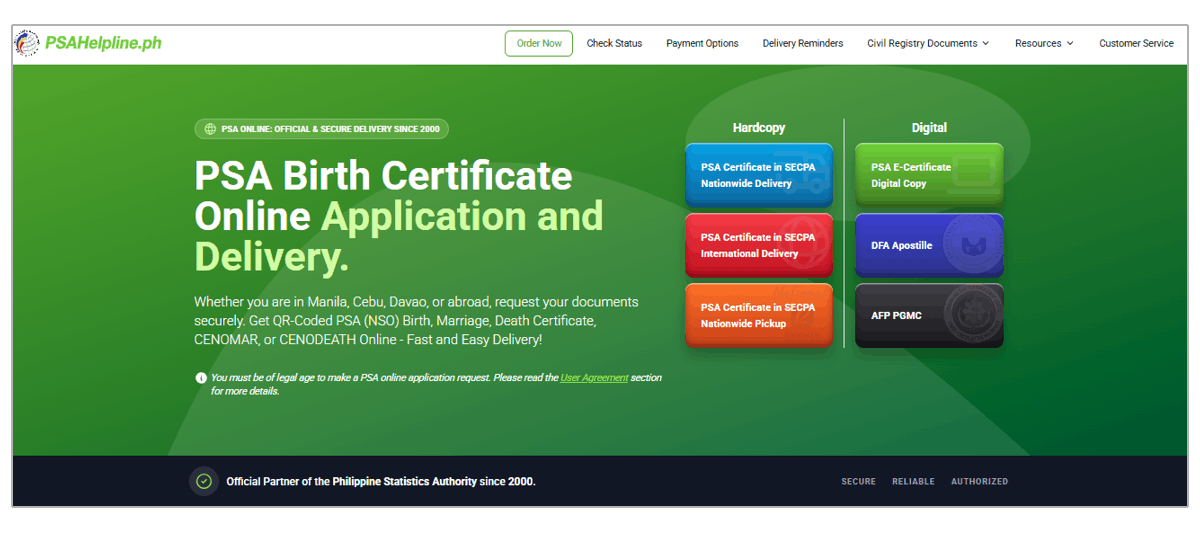
The journey begins by visiting the official website at psahelpline.ph.
- Start Your Order Online: Click the Order Now button at the top of the PSAHelpline.ph homepage, or select PSA Certificate in SECPA Nationwide Delivery.
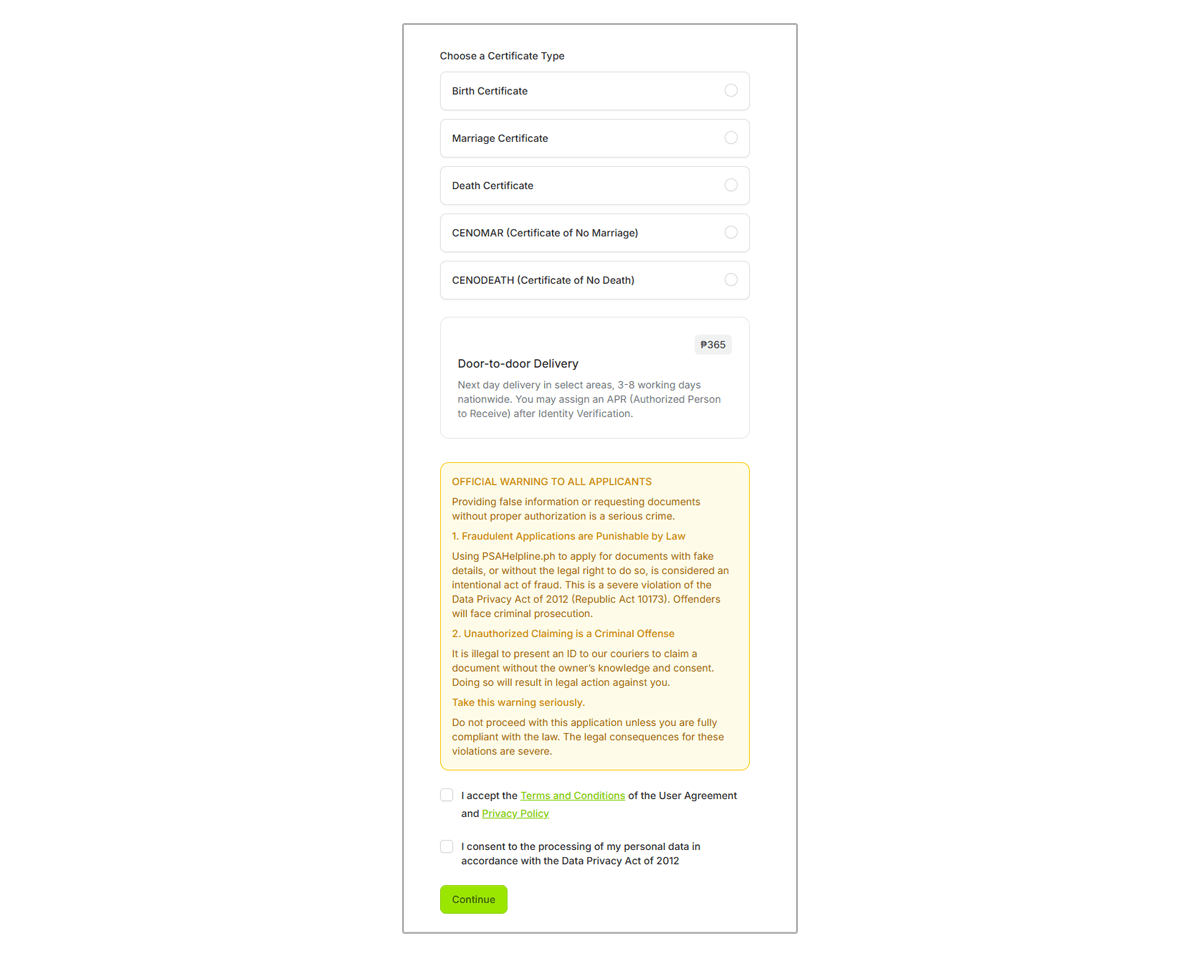
- Choose Your Document and Agree to Terms: Select the specific document you need whether it’s a Birth, Marriage, Death, or CENOMAR certificate. To ensure everything complies with privacy regulations, check the agreement box at the bottom of the page to accept the User Agreement and Data Privacy policy, then click Continue.
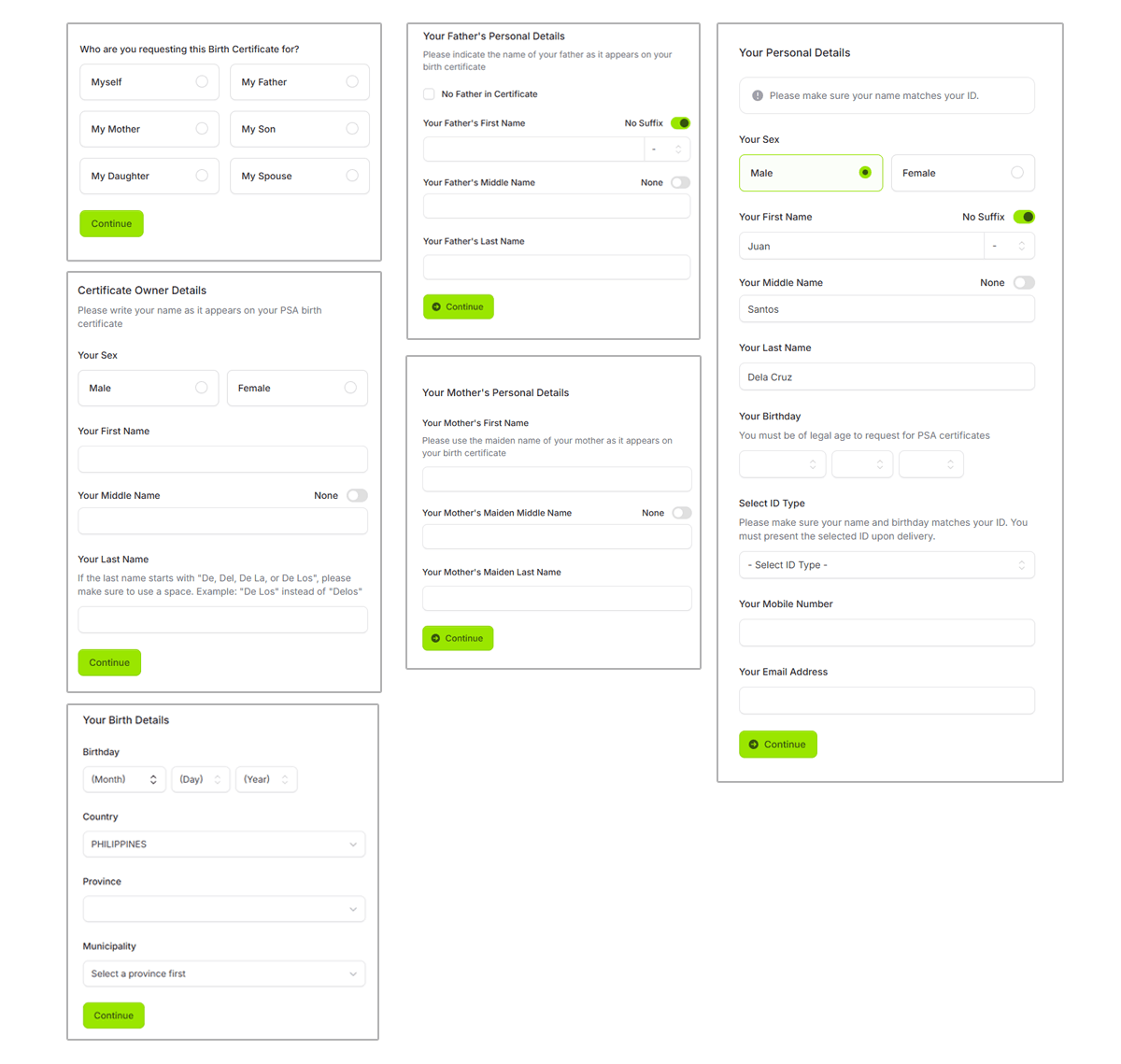
- Fill Out the Application Details: Indicate whether you are ordering the certificate for yourself or on behalf of someone else. From there, fill out the straightforward, multi-page form with the required details of the certificate owner (such as full name, birthdate, birthplace, and parents' names) along with your own contact information.
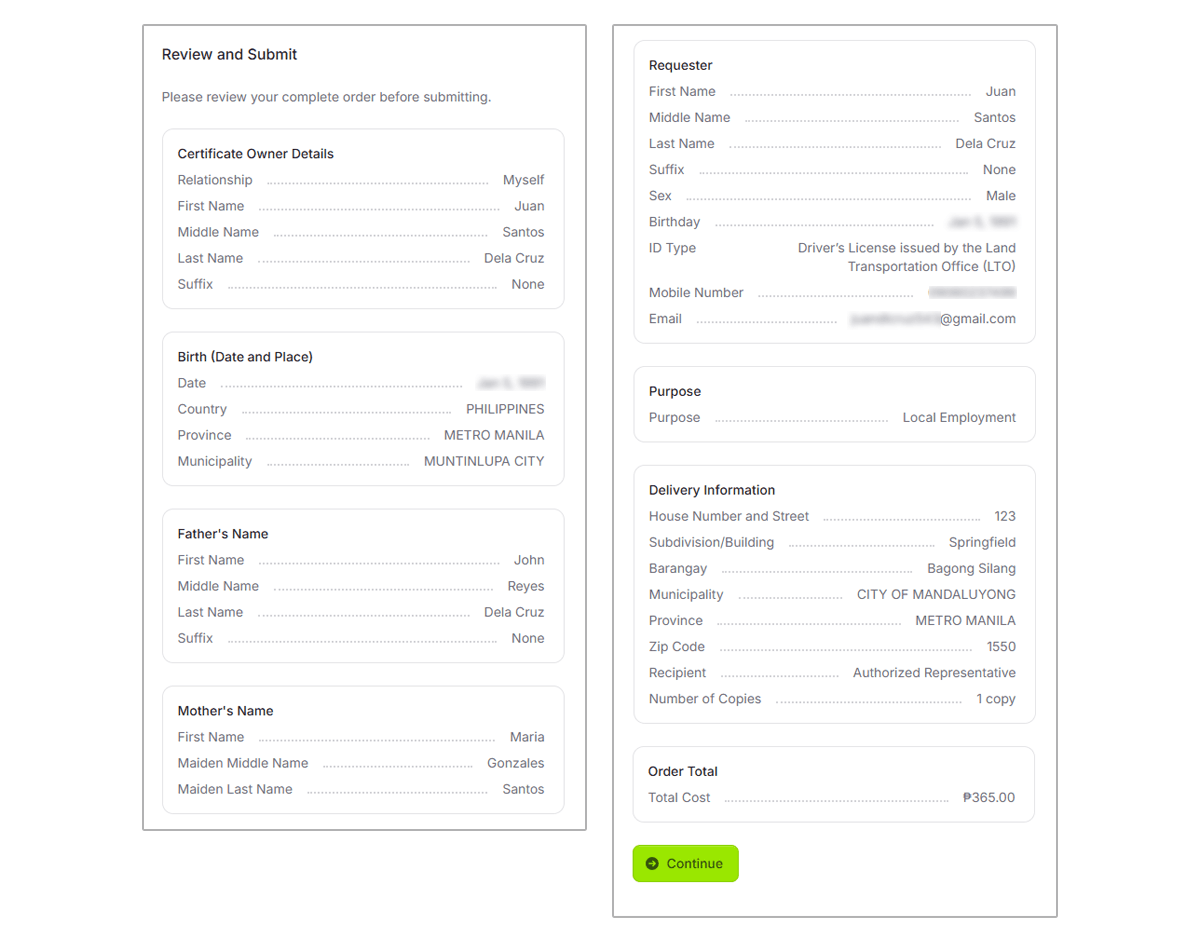
- Before completing the standard ordering process, the applicant must select “I will assign someone and accomplish the Online Letter of Authorization,” click “Continue,” then review the application details before submitting the request.
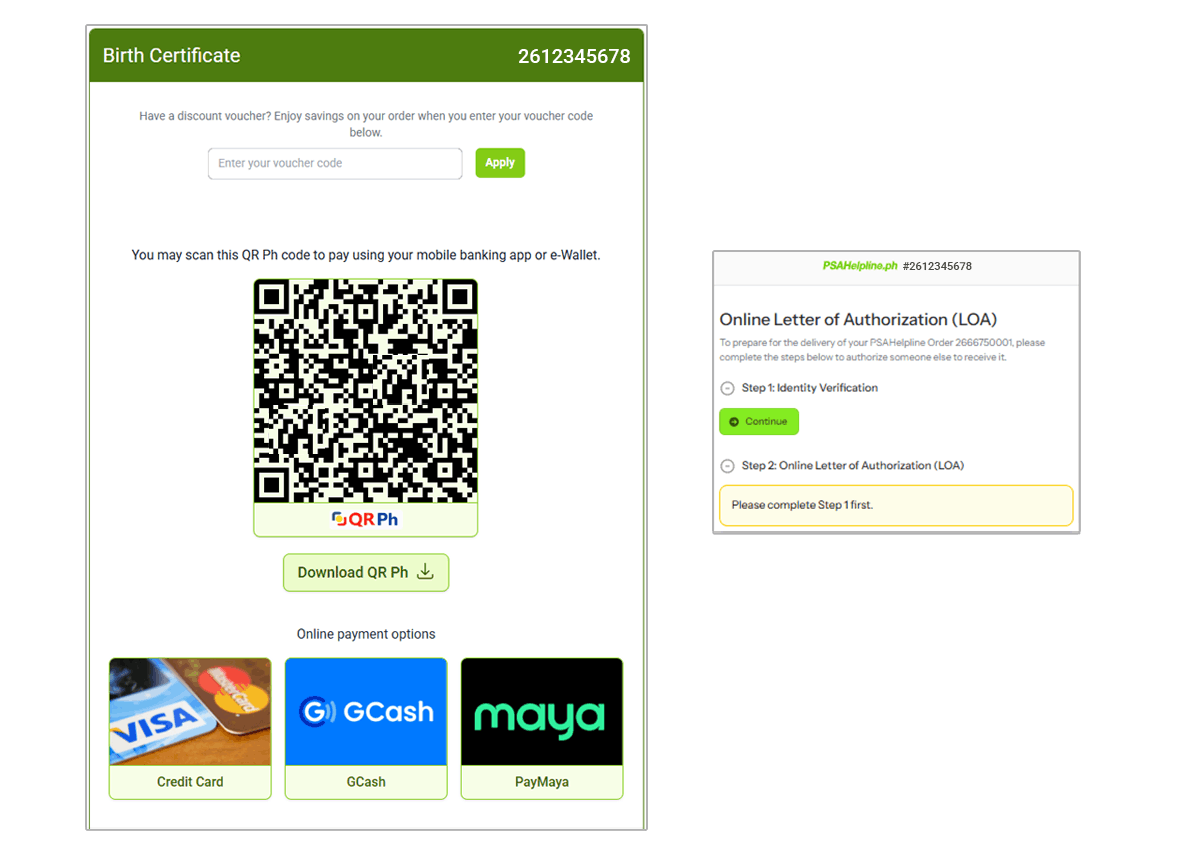
- After clicking “Continue,” a reference number will be generated for the applicant to complete the payment. Once paid, they will be redirected to the Online Letter of Authorization (LOA) page.
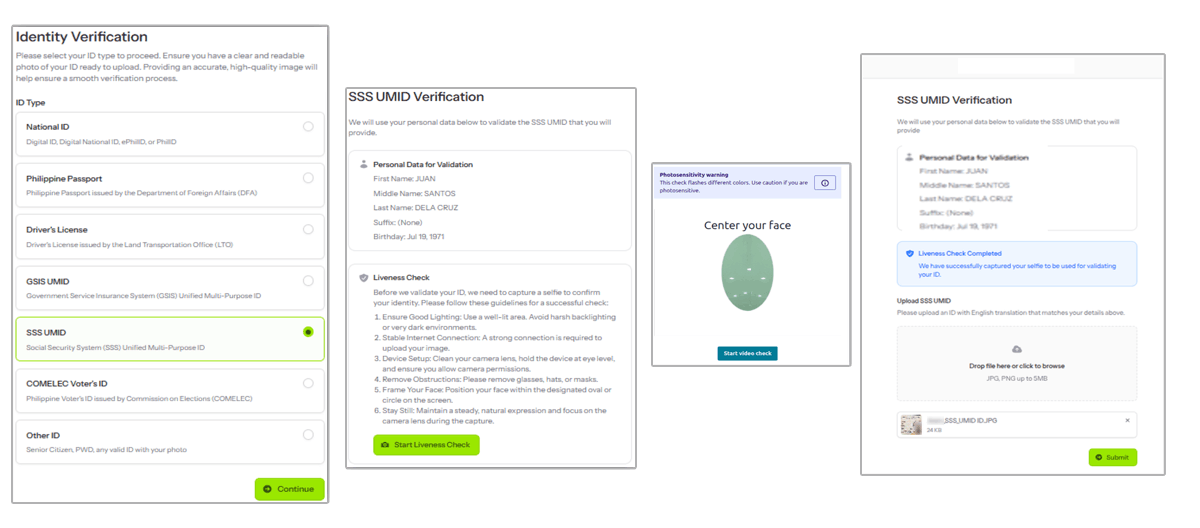
- From the Online LOA page, the applicant must click “Continue” to start the Identity Verification. To complete this step, they will need to select an available ID, review the details, take a quick live selfie, and upload their valid ID before submitting.
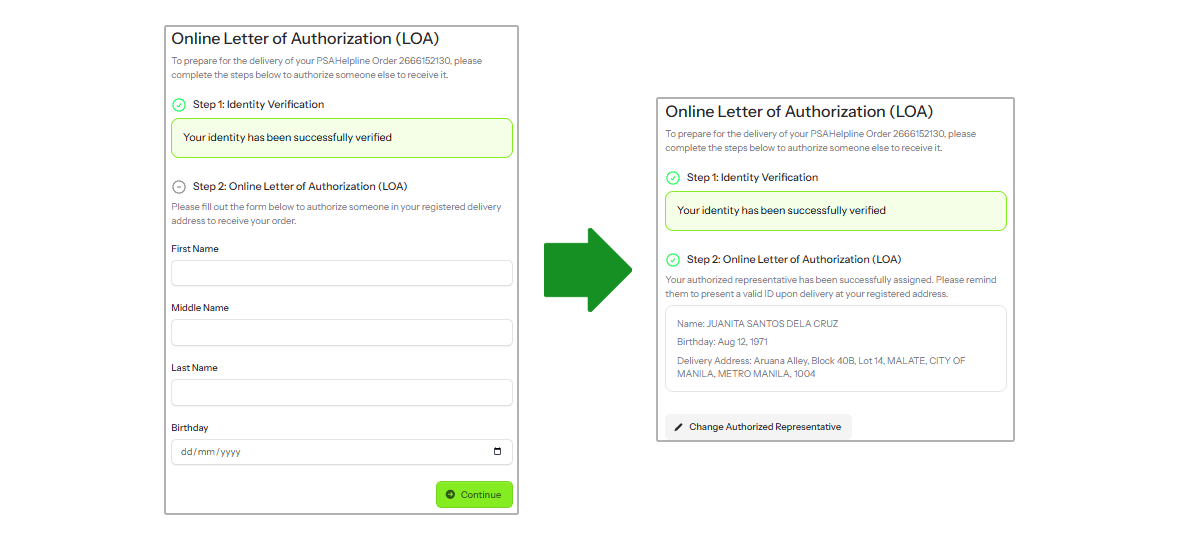
- Once verified, they can assign a trusted person of legal age as their authorized representative by entering that person's full name and date of birth. After submission, a confirmation page will display the authorized representative’s details."

During the delivery, make sure that the authorized representative is ready to present any valid ID from our list of acceptable IDs to the courier to ensure a smooth release of the civil registry document.
About PSAHelpline.ph
At PSAHelpline.ph, we simplify the process of requesting PSA certificates online. Our blogs offer step-by-step guides, the latest updates, and practical tips to help you avoid common mistakes when handling PSA online appointments or ordering your certificates.
As an authorized PSA partner for over 25 years, we’ve assisted millions of Filipinos in securely obtaining their PSA birth certificates, marriage certificates, and other civil registry documents.
Known for the fastest PSA delivery, we prioritize accuracy and are fully compliant with the Data Privacy Act of 2012, ensuring your personal information is always protected.
Why You Can Rely on Us
We deliver reliable, organized, and up-to-date information for every PSA online transaction. Our content is thoroughly researched and updated regularly, making us a trusted guide for all PSA certificate online requests.